


About The Author

About The Author
In the digital world, screens take center stage. Well-designed UI screens can boost mobile app conversion rates by nearly 200%. That’s probably why the most asked question among UI designers is how to approach mobile app screen design.
Mobile apps are perpetually evolving to meet users’ needs, making UI screen design a daunting task. As a Chicago web design agency owner, I know firsthand the struggle to keep up with mobile app design trends.
However, while each project is unique and trends constantly change, some principles stay consistent. UI designers should learn and adopt these principles to create attractive, user-friendly mobile app interfaces.
In this article, I’ll share 5 best practices UI you can apply to any project to make your mobile app screen more user-friendly and improve user engagement and retention.

Mobile apps are constantly evolving and embracing new trends and styles. Still, a few screen types remain constant across most mobile apps. Those are the screens all UI designers should know like the back of their hands, as this can enhance their app designs and streamline their workflow for future projects.

The home screen, or main screen, is the first point of context between the user and your app. From the main screen, users interact with all the other options the app offers. We could say it is like the face of your product; that’s why it’s crucial to use all your abilities to make it as attractive and intuitive as possible.
Home screen design varies a lot depending on the type of app, but there are three main aspects you should focus on:

Most modern apps request their users to create a personal account to get on board. So, every UI designer should know how to work with log-in/sign-in screen design.
Log-in screens should embrace minimalist graphic design and be clear and intuitive so users can easily register and log in. These screens typically contain two files – where users type their email and password – and a confirmation button. Remember to add a sing-ip option for people using the app for the first time.

After signing in, most apps allow users to create and personalize a user profile.
The profile section can contain multiple elements, such as name, photo, contact, or payment details. The trick for good profile screens is keeping them clean and highly intuitive; avoid overloading with unnecessary information.
It’s important that the profile screen maintains the app’s overall identity and provides users with a sense of privacy and security.

E-commerce stores continue to rise in popularity nonstop. If you want to become a freelance web designer, adding highly functional and user-friendly e-commerce apps to your portfolio will help you land more clients.
These are the main screens you must grasp to master e-commerce app UI design:
The main goal of any e-commerce app is to showcase and sell products, so a well-designed catalog is the first thing on the list. Your job as a UI designer is to create a product catalog that attracts users and encourages them to buy. I already wrote an article about list UI design best practices; check it out to learn how to build appealing product catalogs.
Product card screens enable customers to know exactly what they are about to buy. This screen demonstrates key information about the products the user selected on the catalog screen and helps them decide whether they need to purchase them or not.
The product card screen must be highly intuitive and meet users’ expectations. A good rule of thumb is keeping a good information hierarchy. Focus on the product’s image, placing it at the center of the screen, occupying most of the space. Below, you can highlight the product’s key features and price.
The checkout is the last step a user takes before purchasing a product. The checkout screen must be as convenient and intuitive as possible. First and foremost, add a form users can fill in with personal information, such as name, address, and credit card number. Feel free to read my article about tips on how to craft form UI design that triples conversion rates.
Additionally, it’s vital that people know their personal data is safe. I advise adding some visual elements, such as a security certificate sign, to reassure users that their information is safe.
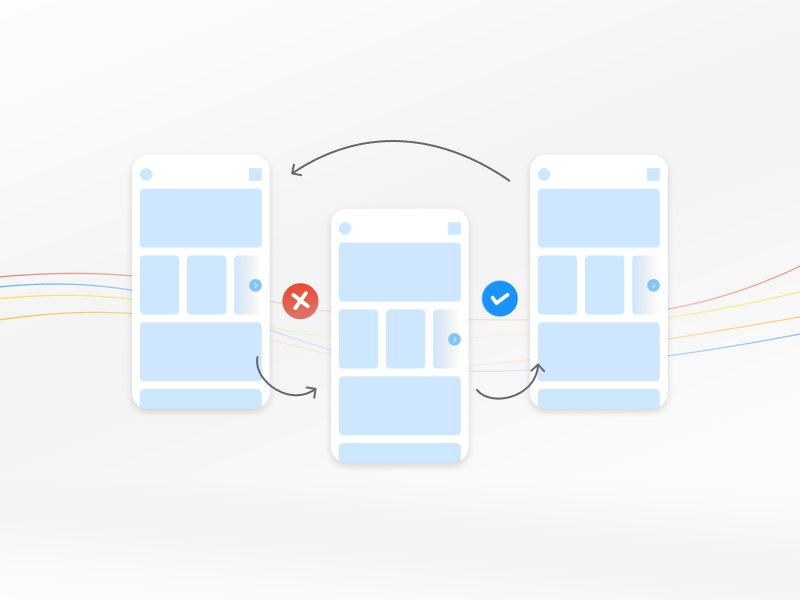
Here, I gathered 5 UI screens best practices Alpha Efficiency is using to create intuitive and attractive mobile app screens that promote user engagement and retention:
Your mobile app interface design should make it simple for users to quickly understand how to navigate it and feel comfortable using it from the first time they log in. If, for example, you are working on a restaurant app, it should be easy for customers to navigate and book reservations using your application.
You achieve that by simplifying navigation and making it as intuitive as possible. Here are some tips to simplify your UI design:
A consistent UI design is crucial for a seamless and enjoyable user experience. When mobile app pages are consistent in styling and overall flow, they create a cohesive, appealing look.
Besides making your application more visually attractive, a consistent UI design makes it easier for users to learn how to navigate the app, boosting engagement and user interactions. Try these tips for maintaining app consistency:
Visual Hierarchy is necessary to direct and guide users’ attention through your mobile application interface. Smartphones provide limited screen space, so optimizing screen real estate and prioritizing clear visual order becomes even more crucial.
Follow these techniques to establish a clear visual hierarchy:
This might sound like an obvious mobile app design principle, but it’s worth mentioning. The extent to which you optimize the app for touch will make or break the entire user experience. These are some best practices for touchable screens:
Finally, once you have a viable product, it’s time to test it with real users.
Testing your mobile app screens will uncover UI issues, such as confusing content, small buttons or text, low contrast, poor accessibility, and other navigation challenges. With the data you gather from the tests, you can make improvements to deliver fully functional, user-friendly screens.
Here are some tips to enhance your app screens’ usability testing:
Once you master the most common app screen types and learn to apply the principles of good UI app design, building intuitive and seamless UI screens will become second nature.
This guide’s UI screen best practices are the base for accessible, user-friendly mobile apps. But bringing your unique vision and creative mind to the game is the best way to build user interfaces that captivate and engage users, increasing the app retention rates.

Recent Post
Brian Dordevic
A Guide to Enterprise Mobile Application Development
READ MORE
Brian Dordevic
Enterprise UX Research: 5 Key Steps for Ensuring Top-Level Designs
READ MORE
Brian Dordevic
Scrapbook Style Web Design: 5 Layering Ideas to Nail This Trend
READ MORE